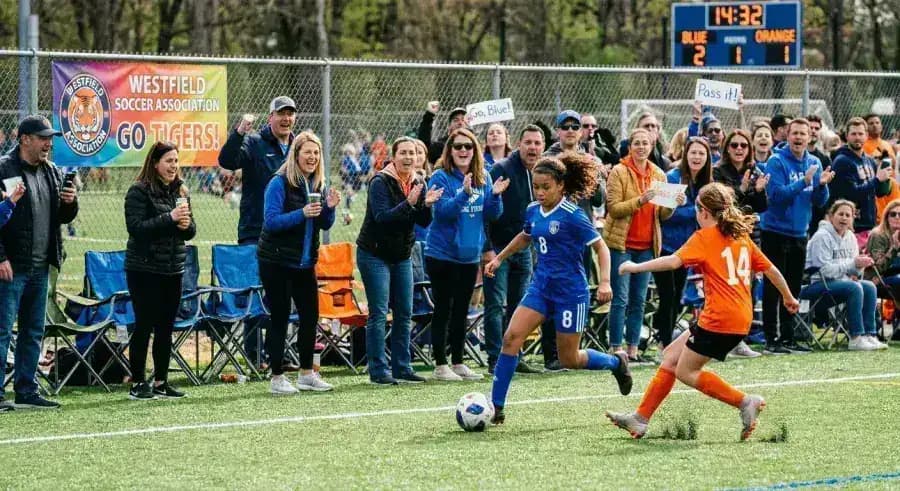
Why tournament photo collection usually breaks down
Tournament weekends create a lot of photos, but they rarely create one usable gallery. Parents take action shots from the sideline, coaches catch team moments, and organizers may have volunteers shooting opening ceremonies or awards. By Sunday night, everything is scattered across phones and text threads.
The issue is not whether people are willing to share. It is that most tournament workflows ask them to remember a link later, join a shared album, or send files one by one after everyone is already driving home.
What a good sports tournament photo-sharing workflow looks like
The simplest setup is one QR code that works across the whole event. Put it on check-in signage, schedules, team packets, and field tables so parents and staff can scan it the moment they want to share.
The upload page should open in the phone browser, avoid account creation, and send every image directly into the organizer's Google Drive. That keeps the workflow simple for contributors and useful for the host.
- One QR code used across fields, gyms, or courts
- No app download or guest login
- Uploads go directly to the organizer's Google Drive
- Clear instructions like 'Scan to share team and game photos'
Why this beats group chats and shared albums
Group chats compress photos, bury them in conversation, and make it impossible to organize by event later. Shared albums sound better, but contribution rates usually fall once people have to log in or remember the album after the game.
A QR code upload flow works better because it captures intent while the event is happening. Parents already have the photo open on their phone. A fast upload path turns that moment into an actual submission instead of a vague promise.
Best fit for clubs, school athletics, and weekend tournaments
This works especially well for youth sports clubs, school athletic departments, travel teams, and tournament directors who need a bigger library of candid photos for recaps, sponsor decks, social posts, or next season's promotions.
If the photos land in Drive immediately, the organizer can sort by team, build a highlight recap faster, and keep a reusable archive instead of chasing families afterward.
How to run photo sharing across a multi-day tournament
Multi-day tournaments create a unique challenge: the best photos are spread across Saturday and Sunday, across different courts or fields, and across parents who might not be at every session. A single QR code solves the coordination problem.
Set the collection link live before Day 1 and leave it open until at least two days after the final. Many parents go through their camera roll the night after a long tournament day and upload then. Post a reminder in the team group chat on Sunday evening — that one nudge typically doubles late submissions.
- Open the collection link before Day 1 so early arrivals can upload immediately
- Print the QR code on both Day 1 and Day 2 schedules
- Post a reminder message Sunday evening while parents review their camera rolls
- Leave the link open for 48 hours after the final game
- Organize Drive subfolders by team or age group if the tournament has multiple divisions
Where to display the QR code at a sports event
Placement drives participation. A single QR code at the entrance works poorly because parents are distracted on the way in. Better placements are the moments when parents have just taken a good photo and the upload idea is fresh.
- Team packets and player information sheets handed out at check-in
- Scorer's table or timekeeper's bench — visible during breaks in play
- Award ceremony backdrop or banner so parents scan right after the big moment
- Concession stand or team tent table cards for natural downtime
- Tournament program or bracket sheet so participants have it all day
Next steps
Related pages that support this topic
These pages are the main commercial and educational destinations tied to this search intent.