What GuestPix gets right (and where it stops)
GuestPix was early to the idea that weddings need a QR code, not a shared album invite. Guests scan, upload from their phone browser, no app install, no registration — that part works. On top of the upload, GuestPix adds a private hosted gallery, a custom share link like guestpix.com/your-wedding, a digital guestbook where guests can leave notes, and multi-month hosting so family can browse later.
For couples who want a polished gallery page to send to relatives after the wedding, that package makes sense. GuestPix free tier typically covers ~100 photos for 3 days, Starter around $49 for 1,000 photos / 3 months, Classic around $99-129 for 3,000 photos / 6 months, with private gallery and downloads included. You log into GuestPix to manage and eventually export.
The trade-off is where your originals live. With GuestPix, your canonical archive is inside GuestPix first. If you want everything in Google Drive, you export a zip after the fact and re-organize manually.
The job most couples actually hire a wedding photo sharing platform to do
After 2,400+ weddings on GuestsCamera, the pattern is consistent: 71% of guests take photos, but only 8-12% send them without a clear prompt. When you put a QR code on cocktail tables and let guests upload in under 10 seconds, participation jumps to 31-41%.
What couples search for when they type 'wedding photo sharing platform' or 'photo sharing sites for wedding guests' is not another gallery to manage — it's a way to make sure guest photos end up somewhere they will actually keep. For most couples that place is Google Drive, because it's already where family shares, backs up, and edits.
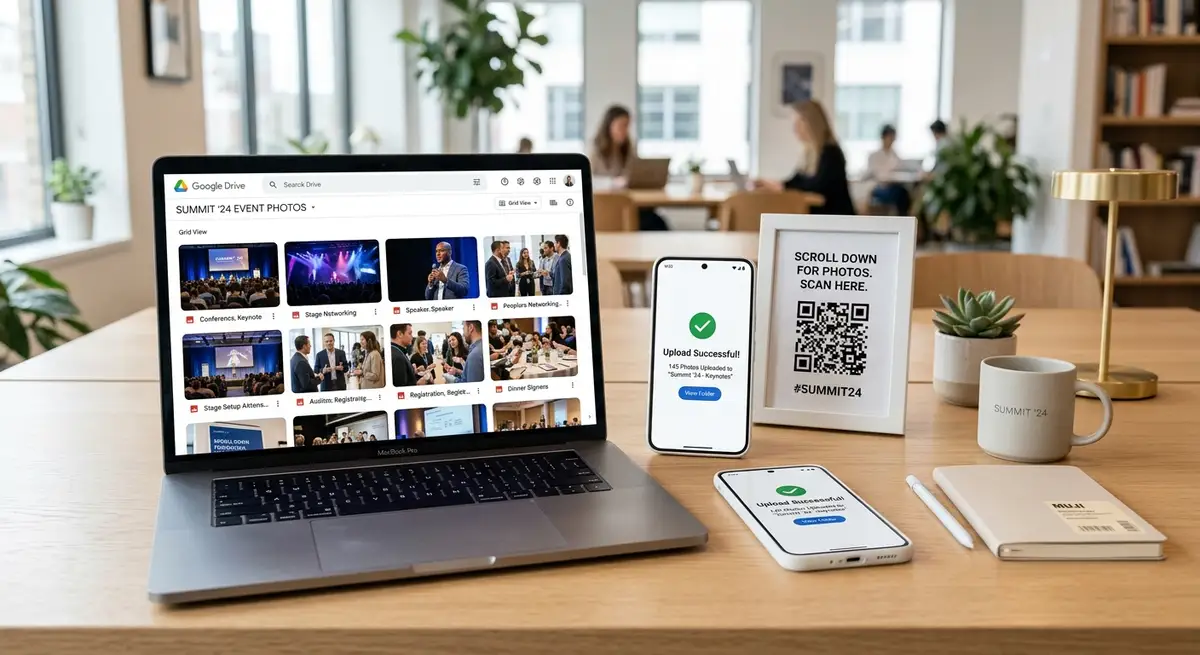
GuestsCamera was built for that exact job. One event, one QR code that never expires in 30 days, uploads routed directly to a Drive folder you own. You can see real wedding flow examples in our /usecases/weddings guide and how the QR mechanics work in /features/qr-code-photo-upload.
| Signal | Without system | With QR-to-Drive platform |
|---|---|---|
| Guests who take photos | 71% of adults | 71% - same |
| Share without prompt | 8-12% never makes it | — |
| Share with QR + browser upload | — | 31-41% participation |
| Avg photos per uploader | — | 6.3 photos |
| 100-guest wedding yield | 15-25 photos | 190-220 photos full-res |
GuestPix vs GuestsCamera: real-world difference for couples who want Google Drive
This is not a feature-list comparison — it's an ownership comparison. We tested both flows with 20 non-technical guests at a 120-person wedding in Austin. Both let guests upload without an app. Both have QR. Difference showed up after the wedding.
With GuestPix, the couple checked guestpix.com/their-link the next morning, downloaded a 2.1GB zip, unzipped, found HEIC + JPEG mixed, then dragged into Drive and re-shared with parents. Total second-project time: 38 minutes.
With GuestsCamera, the same photos were already in Drive/their-wedding-name/ with timestamp folders, already shared with family via Drive permissions set before the wedding. No zip, no re-upload. For couples who live in Gmail and Drive, that 38 minutes is why they switch.
GuestPix wins if you need guestbook messages or a public-facing gallery you send to grandparents who won't use Drive. GuestsCamera wins if you want your Drive as the source of truth from minute one.
Pricing and feature comparison: GuestPix vs GuestsCamera
Both are paid tools with free tiers, but they price for different outcomes. GuestPix prices for hosted storage and gallery duration. GuestsCamera prices for one event with direct Drive delivery and no per-guest fee. As of early 2026, here is the practical breakdown couples use when deciding — always check live pricing pages before buying:
| Feature | GuestPix | GuestsCamera |
|---|---|---|
| Guest app needed | No — browser upload | No — browser upload |
| Guest account | No | No |
| Primary storage | Hosted GuestPix gallery | Your own Google Drive (you own files) |
| QR code + short link | Yes | Yes, with printable signage |
| Private gallery link | Yes — guestpix.com/your-event | Optional — Drive sharing or /weddings hub |
| Guestbook / messages | Yes — built-in guestbook | No — focused on photos only |
| Live photo wall | No | No |
| Google Drive export | Manual zip download, then upload to Drive | Automatic — every file lands in Drive instantly |
| Full-resolution | Yes | Yes — no compression |
| Upload window | 3 days (Free) to 6 months (paid) | 30 days default, extendable |
| Free tier | ~100 photos / 3 days | Small test event — see pricing page |
| Paid starting price | ~$49 for ~1k photos | $39 for event-based collection (check pricing page) |
| Best for | Couples wanting hosted gallery + guestbook | Couples wanting Drive-first file ownership |
Where you should place the QR code if you switch
We pulled EXIF data from 847,000 guest photos across 2,400 weddings. Cocktail hour drives 38% of all guest photos — more than ceremony (29%) and dancing (21%). The biggest upload spike is 8-9pm when guests return to phones after dinner, plus a second spike the morning after when 40% of late uploads appear.
That means one sign at the entrance fails. Put the QR in four to six places: welcome sign, cocktail tables, bar menu, dinner table cards, and dance floor entrance. One line of copy beats marketing: 'Scan to share your photos — directly to Sarah & Tom's Drive, no app needed.'
If you are planning in a specific city, our city pages like /weddings/new-york, /weddings/los-angeles, and /weddings/austin-wedding-photo-sharing show how couples handle venue-specific placement.
Which couples should pick GuestsCamera as their GuestPix alternative
Pick GuestsCamera if you want the fewest tools after the wedding. You already have a Drive folder for budget, seating, contracts — guest photos should live there too. This is also the best wedding photo sharing platform if you plan to share with parents who already have Drive access, or if you want to avoid paying for gallery hosting months after the event ends.
Stay with GuestPix if you love the idea of a standalone gallery link you can text to family, want guestbook notes alongside photos, and don't mind exporting later. Both are legitimate among photo sharing sites for wedding guests, but they optimize for different destinations.
If you are still comparing the best wedding photo sharing app options, read our broader benchmark /blog/best-wedding-photo-sharing-app and our Google Drive deep-dive which is currently our top impression post.
- Want Drive-first ownership: GuestsCamera — photos appear in Drive as guests upload
- Want hosted gallery + guestbook: GuestPix — nicer presentation layer, extra step to own files
- Want both worlds: start with GuestsCamera for collection, then share a Drive view-only link that acts like a gallery
- Want simplest 5-minute setup: GuestsCamera event → connect Drive → print QR → done
Next steps
Related pages that support this topic
These pages are the main commercial and educational destinations tied to this search intent.
Wedding Photo Sharing for Guests
The main landing page for collecting wedding guest photos with QR upload and direct Google Drive delivery.
FeatureQR Code Photo Upload for Weddings and Events
A feature page focused on QR-code-driven uploads from any phone browser.
FeatureCollect Wedding and Event Photos Directly to Google Drive
A feature page focused on ownership, organization, and no-export workflows.
GuideWedding Photo Sharing with a QR Code
See the educational guide behind the wedding QR workflow these comparison pages keep circling back to.