What 'free' actually means for wedding photo sharing
Most tools that appear in a search for 'free wedding photo sharing' are not actually free. They are free trials, freemium tiers with hard upload caps, or tools that are free for guests but require the couple to pay.
Two options are genuinely free with no meaningful limits for most weddings: Google Photos shared albums and WhatsApp groups. Every other tool you will find — GuestPix, Kululu, WedUploader, GuestsCamera — requires payment for the host. Knowing that distinction upfront saves couples from discovering fees two weeks before the wedding.
Google Photos shared album: the most functional free option
A Google Photos shared album is legitimately free at any scale. The couple creates the album, shares a link, and guests can add photos from their own Google accounts. There is no upload cap, no subscription, and no expiry date on the album.
The catch is the Google account requirement. Guests need to be signed into a Google account to add photos to a shared album. That is a genuine friction point — not a dealbreaker for tech-comfortable guest lists, but a real barrier for older relatives or international guests who do not use Google services.
- Free: no cost for couple or guests at any photo volume
- Familiar: many guests already use Google Photos
- Requires: guests must have and use a Google account to contribute
- Quality: photos upload at full resolution, no compression
- No QR code: couple must share the album link directly before or during the event
- Ownership: photos live in Google Photos, not in a Google Drive folder the couple controls
WhatsApp group: free but compresses everything
A WhatsApp group is the other genuinely free option and arguably the easiest to set up. Most guests are already on WhatsApp, and adding them to a group requires no extra steps beyond sharing the invite link.
The compression problem is severe. WhatsApp reduces photos to roughly 1–2 megapixels when shared in a chat — down from 12 megapixels or more on a modern smartphone. The candid your aunt took during the first dance will arrive looking like a thumbnail. If image quality matters for printing or albums, WhatsApp is not the right tool.
There is also a structural problem: WhatsApp groups are designed for conversation, not photo collection. Photos get buried in messages, they are hard to download in bulk, and there is no central album the couple can hand off to a designer or share with family.
- Free: zero cost, no accounts needed beyond WhatsApp itself
- Easy to join: most guests are already on WhatsApp
- Compression: images are reduced to 1–2 megapixels — not suitable for printing
- No organization: photos are mixed into a chat thread, hard to download in bulk
- No ownership: photos are in WhatsApp, not in a folder the couple controls
- Works best when: quality does not matter and the guest list is small and WhatsApp-native
Why couples often move to a paid tool after trying free options
The most common pattern is this: a couple sets up a Google Photos shared album, discovers half their guest list does not have Google accounts, watches participation stay low, and then looks for a better option after the wedding when it is too late.
The specific problem with free options is not that they do not work. They work for the right use case. The problem is that neither handles the core wedding scenario well: getting a large, mixed-age group of guests to upload photos quickly and easily from a venue, without requiring any setup on their part.
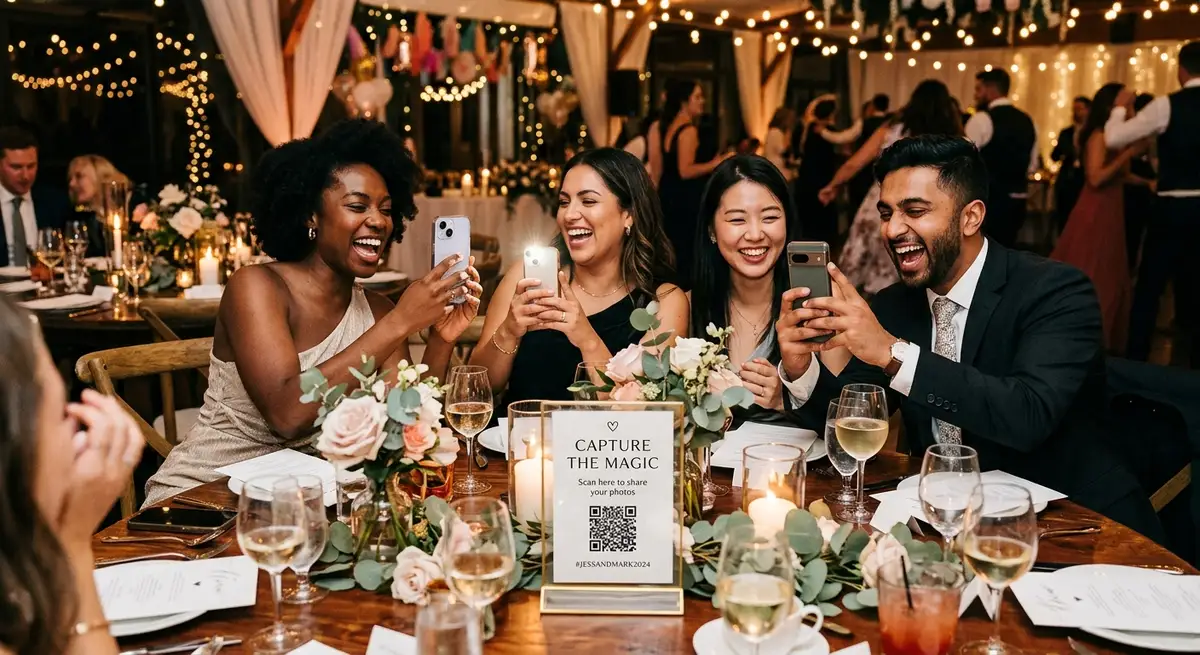
A QR code that guests can scan from their phone browser — with no account, no app, and no friction — consistently gets 3–4 times the upload rate of shared albums or group chats. That difference is what couples are paying for when they choose a dedicated tool.
What you get for $39–$89 with a paid tool
GuestsCamera is a paid tool with no free tier. Plans start at $39 for a 3-hour event, $59 for a full-day event, and $89 for a weekend event like a wedding with a rehearsal dinner. That covers the QR-code-to-browser-upload flow, no app or guest account required, and direct delivery to the couple's Google Drive.
The value proposition versus a free option is not features — it is participation. The browser-based upload removes every friction point that kills contribution rates on free alternatives. Guests scan the QR code at the cocktail table, select photos from their camera roll, and upload in under a minute. The photos appear in the couple's Drive folder in real time.
Other paid tools in this space — GuestPix, Kululu, WedUploader — have similar or higher pricing with similar no-app, no-account guest flows. The differences are where photos land (hosted gallery vs. Google Drive) and what the host dashboard looks like. None of them are free.
- GuestsCamera — from $39, QR browser upload, direct to Google Drive, no guest accounts
- WedUploader — paid, similar Drive-first workflow, album-based host experience
- GuestPix — paid, hosted gallery destination, includes guestbook features
- Kululu — paid, includes live photo wall, hosted gallery
Free vs paid: the honest comparison
The decision comes down to two questions: how much does guest participation matter, and what do you want to do with the photos after the wedding?
If you want maximum participation — the highest percentage of guests actually uploading — a paid QR-code tool is more reliable than a free option. If you are budget-constrained and your guest list is tech-comfortable with Google accounts, a Google Photos shared album is a legitimate choice. If image quality does not matter and everyone is on WhatsApp, that works too.
- Google Photos shared album: free, full resolution, but requires guest Google accounts — expect lower participation from older or non-Google guests
- WhatsApp group: free, easy to join, but heavy photo compression and no organized album
- GuestsCamera ($39–$89): paid, highest guest participation, direct Google Drive delivery, no guest accounts or app
- GuestPix / Kululu / WedUploader: paid, similar no-friction guest experience, hosted gallery or Drive delivery depending on the tool
Which option to choose
Choose Google Photos shared album if: you want zero cost, your guest list is comfortable with Google accounts, and you can share the album link in advance.
Choose WhatsApp if: the guest list is small, mostly on WhatsApp, and photo quality is not important — you just want a quick way to collect candids.
Choose a paid tool starting at $39 if: you want high participation across all age groups, photos to land directly in your Google Drive, and no friction for guests at the venue.
There is no free option that matches a paid tool's participation rate. That is the honest answer. Whether the difference is worth $39 to $89 depends on how much those guest photos matter to you after the wedding.
Next steps
Related pages that support this topic
These pages are the main commercial and educational destinations tied to this search intent.