What The Knot is actually built for
The Knot is the largest wedding marketplace in the United States. It handles vendor discovery, budget tracking, wedding websites, RSVPs, seating charts, and invitations. For couples starting their planning process, it is one of the first stops.
As part of that ecosystem, The Knot does include a photo-sharing feature on wedding websites. Couples can create an album page on their site, and guests can access photos after the event. The product is built around the wedding website as the hub — which makes it a natural fit for post-event sharing with family who follow along on the site.
Where The Knot's photo feature falls short for live collection
The limitation shows up when you try to use The Knot as the primary collection tool at the venue on the day of the wedding. The photo feature is designed around the wedding website workflow, not around QR code scanning at cocktail hour.
Guests who want to contribute photos typically need to navigate to the wedding website, which means they need the URL, need to find the album section, and often need to interact with The Knot's interface. That is a longer path than scanning a QR code and uploading from a browser page built specifically for that moment.
- No dedicated venue-ready QR code for live guest uploads
- Photos go into The Knot's platform, not directly into the couple's Google Drive
- Guest experience requires knowing or finding the wedding website URL
- Not optimized for the high-friction, fast-moving environment of a live wedding reception
- Photo ownership lives within The Knot's ecosystem rather than in a folder the couple controls outright
What GuestsCamera does differently for in-venue collection
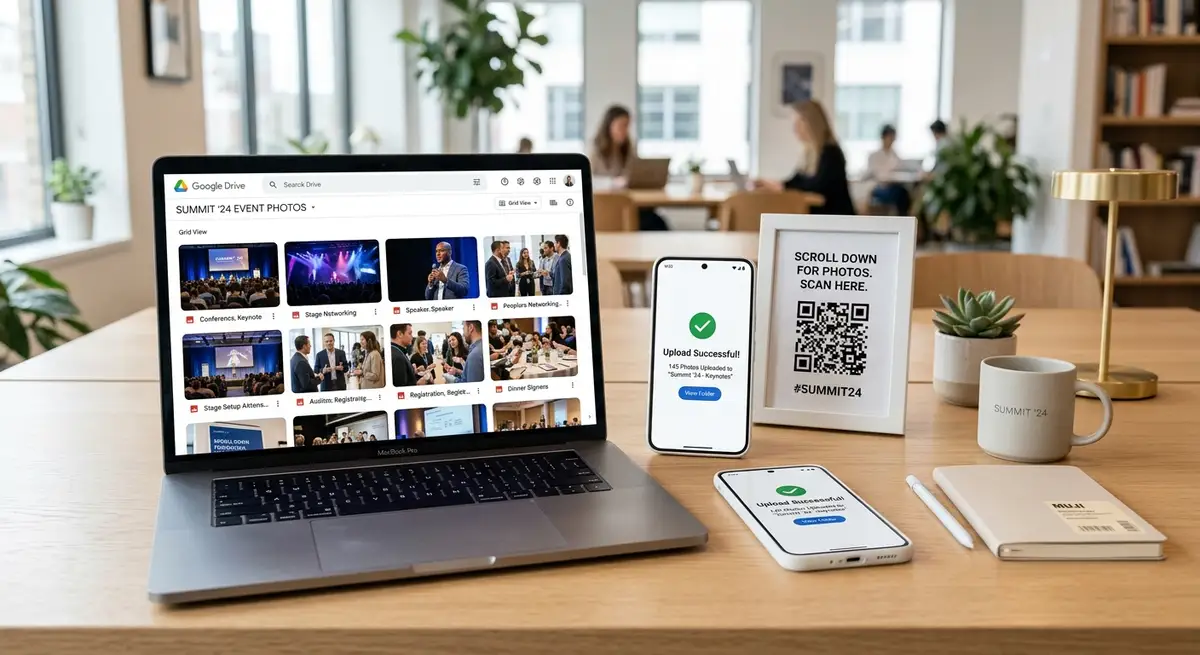
GuestsCamera is built specifically for the live event collection moment. The product starts with a QR code guests can scan at any point during the wedding — at the cocktail table, the bar, or the dinner table — and opens a browser-based upload page that works on any phone without an app or account.
Every upload goes directly into the couple's Google Drive folder. There is no The Knot intermediary, no platform login, and no export step afterward. The couple owns the files from the moment a guest uploads.
These tools are actually complementary, not competing
It is worth being honest here: The Knot and GuestsCamera are solving different problems. The Knot is a planning platform that helps couples organize the entire wedding process. GuestsCamera is a photo collection tool built specifically for the day of the event.
Most couples who use The Knot for planning benefit from adding a dedicated guest photo tool for the venue. They are not replacing The Knot — they are filling in the one part of the photo experience that a general planning platform was not optimized to handle.
The Knot vs GuestsCamera: feature comparison for guest photo collection
This comparison focuses only on guest photo collection — not on The Knot's broader planning tools, which are outside GuestsCamera's scope.
- Guest app required: Neither — The Knot wedding sites and GuestsCamera both work in a browser
- Guest account required: The Knot may require guests to interact with the site; GuestsCamera requires no account at all
- QR code for venue scanning: GuestsCamera includes a dedicated venue QR code; The Knot is not optimized for this
- Photos go to Google Drive: GuestsCamera routes directly to Drive; The Knot stores within its own platform
- Export step needed: GuestsCamera — none; The Knot — depends on the platform workflow
- Best for: The Knot → full wedding planning ecosystem; GuestsCamera → live in-venue guest photo collection
Why couples add GuestsCamera even when they already use The Knot
Using The Knot for planning and GuestsCamera for photo collection is the most common combination. The planning workflow stays in one place, and the photo collection happens through a tool that was purpose-built for that specific job.
The result is usually a significantly fuller guest photo library — because a QR code at the cocktail table consistently outperforms a wedding website URL guests have to remember or look up.
- Want a venue-ready QR code that works at cocktail hour, dinner, and the dance floor
- Want guest photos in Google Drive without any platform intermediary
- Already using The Knot for planning but want a better collection flow at the event
- Want to avoid asking guests to navigate to a wedding website URL to share photos
Next steps
Related pages that support this topic
These pages are the main commercial and educational destinations tied to this search intent.