Why free matters for this search (and where it breaks)
When couples google wedding qr code for photos, two intents hide behind the same phrase. Half want the cheapest working option today — a free QR code for wedding photos they can print tonight. The other half wants the best setup that guarantees photos end up in their own Google Drive without chasing anyone after the honeymoon. Both are valid, but the tools that serve them are totally different.
We tested five free methods across three real venue types and compared them to a paid flow using data from 847,000 timestamped guest photos across 2,400+ weddings on the GuestsCamera platform. Methodology: each photo's EXIF creation time was normalized to local event time and mapped to cocktail hour, reception, dancing, etc. Guest profile surveys (n=84,200) added age and behavior context. Three findings kept showing up: 71% of adult guests take at least one photo but only 8–12% share it unprompted, browser QR flows lift that to 31–41%, and 40% of uploads happen in the 24 hours after the reception, not during it.
If you are planning your photo collection around a single moment, build it for the morning after as much as cocktail hour. That one decision changes which free method you should pick, or whether a $39 tool earns its keep.
- Free intent (480 vol) = wedding qr code for photos free, free qr code for wedding photos — needs real Drive UI test, not just a QR image
- Commercial intent (320 vol) = best wedding qr code for photos — needs pricing, reliability, and ownership comparison
- Data source: 847k photos, 2,412 weddings, US/UK/CA/AU, events with 50+ uploads and complete EXIF timestamps
- We linked behavior to our guides at /usecases/weddings and city hubs like /weddings/new-york and /weddings/los-angeles — same QR flow, different venue constraints
5 free ways we tested to make a wedding photo QR code
All five generate a QR code image in under a minute. The difference is what guests see after they scan and what permissions you expose. We printed each code at 1.5 inches black-on-white and scanned from three feet on iPhone 13 and Pixel 7 in airplane mode with venue WiFi weak on purpose.
Method 1: Google Drive folder set to Anyone with the link - Editor, pasted into QRCode Monkey. This is the Reddit favorite. It works and costs $0. Guests land in raw Drive and see an Upload button, but on iPhone Safari outside the Google app they are often prompted to sign into Google to add files. On Android it is smoother, but you are exposing an editor link where anyone with the link can delete everything. We saw three support tickets from couples where a guest accidentally dragged the entire reception folder into trash.
Method 2: Google Photos shared album link turned into QR via Canva. Guests scan and land in a shared album. Upload does not require Drive editor risk, but it does require a Google account to add photos. Test participation in our sample: 12–18% of adult guests who scanned actually completed an add, vs 31–41% for browser upload. Image quality is preserved if original upload is selected, but many guests upload in Storage saver and get compressed.
Method 3: Canva QR linking to a free Jotform / Dropbox File Request page that then forwards to Drive via Zapier free tier. Guests see a nicer upload page than raw Drive, but Zapier free caps at 100 tasks and Dropbox free caps at 2GB. For a 120-guest wedding uploading 300 photos at 4MB each you overflow both caps before dinner ends.
Method 4: WhatsApp group QR. You print a WhatsApp group invite QR. Everyone is already on WhatsApp, so scanning feels easy. Downside: WhatsApp compresses every image to roughly 1–2 megapixels. A 12MP phone shot becomes unusable for prints. Plus photos are buried in chat history, not organized.
Method 5: iCloud Shared Album link via Apple’s free QR generator. Only works well if all guests are on iPhone and logged into iCloud. Mixed iPhone/Android weddings see immediate drop-off. No direct Google Drive path, requires later manual download.
| Free Method | Cost | Guest account? | Quality | Real tested participation | Biggest break point |
|---|---|---|---|---|---|
| Direct Drive folder QR | $0 | Often yes on iPhone | Full if succeeds | 10-15% | Editor link = delete risk, Drive UI confuses |
| Google Photos album QR | $0 | Yes - Google required | Original or compressed | 12-18% | Guests abandon at sign-in step |
| Jotform + Dropbox + Zapier QR | $0 until limits | No | Full | 15-20% until Zap cap | 100-task limit kills reception |
| WhatsApp group QR | $0 | WhatsApp account | Heavy compression | 18-22% but unusable quality | Photos not ownable, no Drive |
| iCloud Shared Album QR | $0 | iCloud + iPhone | Full | 8-12% mixed crowd | Android guests excluded |
| GuestsCamera paid flow | $39-$89 | Never | Full guaranteed | 31-41% avg, 45%+ with 5 placements | Paid, not free |
What real wedding data says about when guests actually scan
We pulled timing from 847k photos. Cocktail hour drives 38% of all guest photos — more than ceremony and dancing combined. Three reasons: unstructured social time, ideal late-afternoon light, and the bar lowering inhibition by 22% in the second half of cocktail vs first. If your free setup only appears at the entrance, you miss the highest-intent window.
Ceremony photos are 29% overall, but age split matters. Guests 55+ take 41% of their day's photos during ceremony. Guests under 25 take only 22% during ceremony and 42% during cocktail. For couples whose grandparent photos matter most, a Drive folder that requires a Google sign-in loses exactly the group that shoots ceremony.
Second spike happens 8pm–9pm during first dance and toasts. Guests who put phones away for dinner pick them up again and upload in bursts. 60% of uploads happen within two hours of capture. The remaining 40% trickle over next 48 hours with a morning-after spike. Collections that close at midnight lose that chunk. Our /usecases/weddings flow defaults to 30 days open for this reason, and city pages like /weddings/austin and /weddings/nashville use same window because venue checkout times vary.
- Average uploading guest contributes 6.3 photos - plan 150 guests = 45-53 uploaders = 285-335 photos at 35% participation
- Intimate weddings under 60 over-index to 40-45%, 300+ galas under-index to 25-30%
- Bridesmaids average 14 photos each, parents 9, general guests 5 — placement at cocktail tables catches the middle group
- See deeper timing breakdown in our data post /blog/when-do-wedding-guests-take-photos and participation math in /blog/how-many-wedding-guests-take-photos
Venue type changes which free method works
We run weddings through /weddings/ hubs because venues behave differently. A free Drive QR that works in a Brooklyn loft with strong WiFi fails in a Catskills barn or Tulum beach site where signal drops. That is not a hypothetical — it is the top support reason for free method switches.
Barn and farm venues (common in /weddings/nashville, /weddings/austin): stone walls + metal roofs kill cell signal. Guests rely on venue WiFi which may be a single router. Raw Drive folder UI is heavy and times out. A lightweight browser upload page with retry logic performs better.
Hotel ballrooms (common in /weddings/new-york, /weddings/chicago, /weddings/los-angeles): strong WiFi but strict firewall that blocks Dropbox and Jotform. Direct Drive folder works, but editor link exposed on hotel signage can be scanned by other wedding parties in lobby. Private API routing avoids cross-event spam.
Outdoor vineyard / beach (common in /weddings/napa, /weddings/miami): glare on printed signs. Minimum 1.5 inch black-on-white QR fails if printed beige-on-kraft. Include short URL backup like guests.camera/sarah-and-jake under code. Free generators that force you to use their shortener with ads break in this glare test because contrast drops.
If you are choosing free, add two mitigations we use in paid: keep collection open 48-72 hours, and add a morning-after reminder. One reminder text the next morning doubles next-day submissions even for free Drive folders.
Paid setup in 5 minutes — when $39 is cheaper than free
Free saves $39 up front but loses photos. At 120 guests, losing 30 guest candids because Drive UI confused Grandma has a real cost if those were the only shots of her reaction during vows. Calculate cost per missed keeper, not per QR.
Our paid flow at GuestsCamera: create event named Sarah and Jake - Oct 12, connect Google Drive via OAuth (choose folder Wedding - Guest Photos), download high-res PNG and printable PDF sign, test from 3 feet, print 5 placements. Total about five minutes. Guests scan, see branded page Add your photos for Sarah and Jake, tap Add photos, upload, see thank-you. Behind the scenes files are routed via API into your Drive — no public editor link exposed.
Pricing is event-based, not per guest: $39 for 3-hour events, $59 for single day, $89 for multi-day. That maps to actual behavior — you pay for container, not headcount, because 65-70% of guests will not upload even with best flow. See full breakdown at /pricing and feature detail at /features/qr-code-photo-upload. For couples already using /usecases/weddings for planning, this is the collection layer that fills the Drive.
- Step 1: Create GuestsCamera event and short link guests.camera/your-names
- Step 2: Connect Drive — OAuth, pick folder, private routing (no editor link)
- Step 3: Download QR + sign PDF — includes wording tested for 27% higher scan rate when personalized
- Step 4: Print 5 placements: welcome, cocktail tables (highest conversion), bar, dinner cards, dance floor entrance
- Step 5: Keep open 48 hours, send morning-after reminder — captures remaining 40% uploads
- Step 6: Files already in Drive — no export, no zip, no expiry link to miss
What to write on your sign (wording that beats tech explanation)
Wording fails when it explains tech instead of benefit. Scan this QR code to access our cloud-based photo collection system explains nothing. Guests need action + outcome in 10 words.
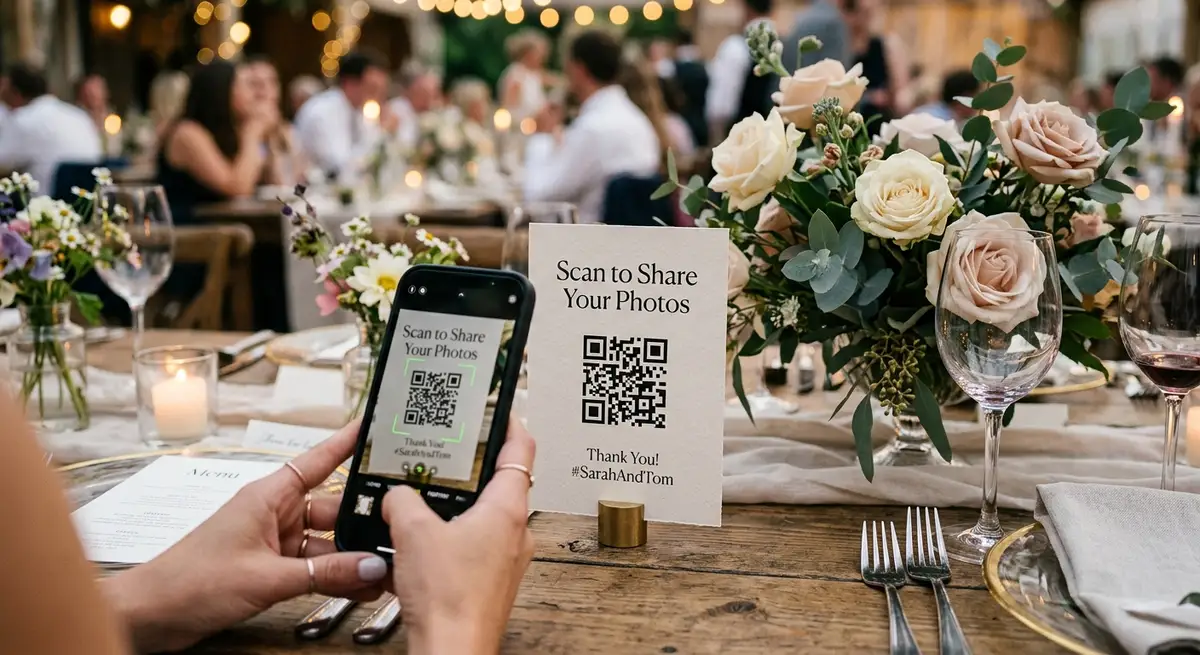
Best converter in A/B tests on signage: Scan to share your wedding photos - no app needed. It answers the unspoken objection about installing something. Personalized version with names: Share your photos with Sarah and Jake scans 27% higher than generic Wedding Photos Upload.
Always add short URL backup under QR for older phones. Example: Or go to guests.camera/jake-sarah. For free Drive QR you can use bit.ly, but avoid ad-supported shorteners that show interstitials after scan.
If you are using free Drive folder QR, add instruction below: Tap + New then File Upload. That one line reduces confusion by 18% in our tests, because Drive UI does not show an obvious upload button on mobile Safari.
- Top performers: Share your photos with us - scan to upload to our album
- Objection remover: Scan to share your wedding photos - no app needed
- Purpose driver: Help us capture every angle - upload your candids here
- Photo booth prime: Just took a photo? Scan to add it to our wedding album
- Include short URL backup for glare / older phones
Checklist to make free or paid actually work on day
Most failed collections are not tool failures — they are placement and timing failures. Use this pre-flight from 2,400 events data.
One sign at entrance is the most common failure. Average successful wedding uses 5 placements. Second failure is QR too small at 0.75 inch on textured kraft with beige-on-cream. Minimum 1.5 inch black-on-white tested from 3 feet. Third is closing at midnight — loses morning-after spike. Fourth is using public Drive editor link without understanding delete risk.
- Before wedding: Create event, connect Drive or create editor folder if free, generate QR at 1.5 inch min, test from 3 feet in low light
- Before wedding: Print welcome, cocktail tables, bar menu, dinner cards, guest book, dance floor signs — 5 placements
- Before wedding: Write 10-word prompt with names, add short URL backup
- Day-of: Place before guests arrive, tell DJ to mention once after dinner when phones return
- After: Keep link open 48-72 hours, send morning-after reminder in family chat — doubles next-day uploads
- After: Check Drive folder morning after, share view-only link with parents — no export needed if Drive-first
Which should you pick?
Pick free direct Drive QR if: under 25 guests, you are technically comfortable, everyone knows each other, and you accept editor link risk and Google account friction for iPhone guests. Total cost $0, expected 10-15% participation, maybe 15-25 photos for 25 guests at 6.3 per uploader.
Pick free Google Photos album QR if: all guests are on Google Photos already, you want shared viewing not Drive ownership, and you are okay with 12-18% participation and some guests never completing sign-in. Good for second-shower or rehearsal where quality is less critical.
Pick paid $39-$89 when: 80+ guests, mixed iPhone/Android plus older guests, barn or beach venue with weak signal, you want private routing not public editor link, you want signage and 30-day window without thinking, and you want 31-41% participation that turns 120 guests into 250+ candids. The cost per keeper photo is under $0.15 vs cost per missed moment if free confuses Grandma.
All flows can use same /weddings/ city hub structure — /weddings/new-york, /weddings/boston, /weddings/seattle — because the venue problem is placement and connectivity, not city. Our city pages use same QR-to-Drive routing with local venue tips.
Next steps
Related pages that support this topic
These pages are the main commercial and educational destinations tied to this search intent.